Tribeatlas Is Now on iPhone and Android
Tribeatlas, the group trip planner, is now an app for iPhone and Android. Free to download, same account and trips as on the web.

Tribeatlas, the place where a group plans the trip, splits the costs and keeps the photos, is now an app. It is on the App Store for iPhone (since 6 November) and on Google Play for Android (since 7 November). It is free to download, in English, and it is the same Tribeatlas you already know: sign in with your existing account and your trips are there.
 
What the Tribeatlas app is
The Tribeatlas app is the group trip planner on your phone. It works with the same account and the same trips as tribeatlas.app: a change on your phone shows on the web, and the other way round. Start a trip on your laptop at home, check the plan at the airport, add the dinner expense at the table.
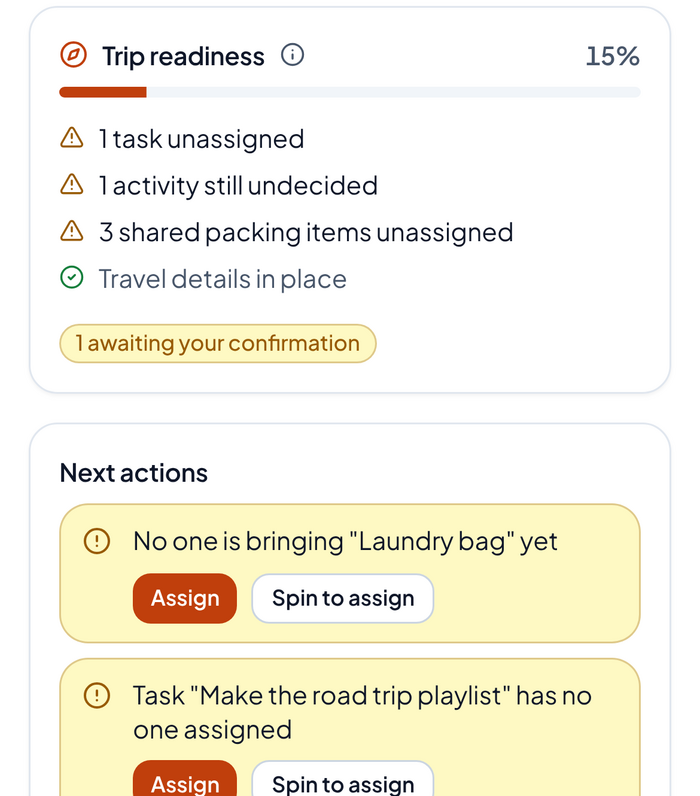
Inside a trip you get the same five tabs as on the web: Overview, Plan, Money, Group and Photos.
What you can do from your phone
| Tab | What it is for |
|---|---|
| Overview | How ready the trip is, and the next things to do |
| Plan | The itinerary day by day, flights and hotels, the map |
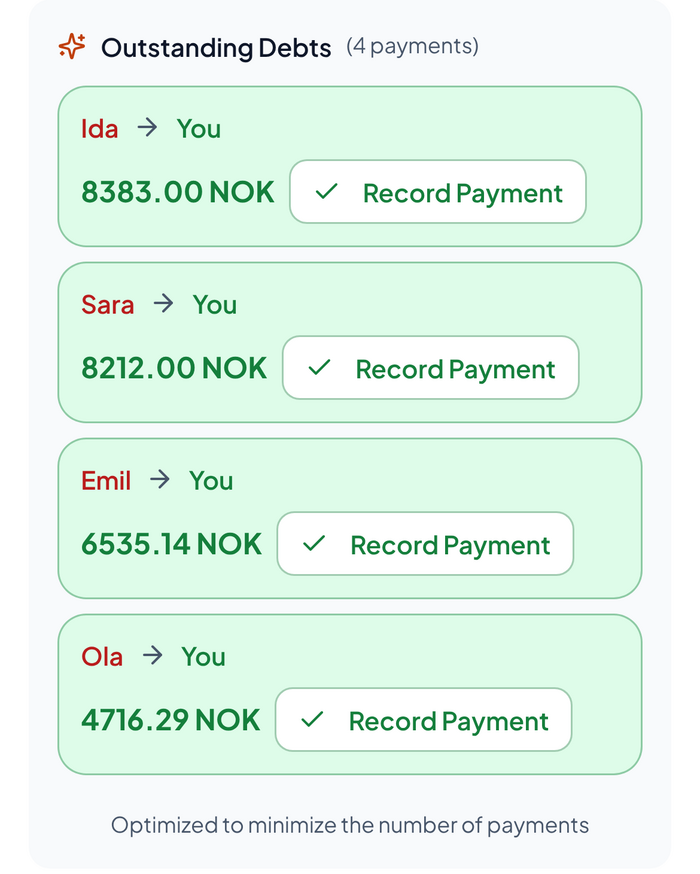
| Money | Expenses in any currency, who owes whom, Settle up |
| Group | Chat, polls, tasks, packing lists and the decision wheel |
| Photos | Everyone's photos from the trip in one album |
Money is where most groups feel the difference. Add an expense when it happens, pick who shares it, and see at a glance who owes whom. When it is time to settle up, Tribeatlas shows the fewest payments, and the person who gets paid can confirm them. More on how it works in how to settle up after a group trip.
Get the app
- iPhone: Download Tribeatlas on the App Store. Needs iOS 16.4 or later.
- Android: Get Tribeatlas on Google Play. Needs Android 7.0 or later.
- On a computer: the Tribeatlas app page shows a QR code to open the right store on your phone.
Not ready to sign up? Try the free tools
You can also try Tribeatlas without an account. The free tools work right in your browser, and nothing you type is sent anywhere:
- Split the bill: add who paid what and who shares it, and see the fewest payments to settle up.
- Fair room split: split an Airbnb, villa or cabin by room, so a private bathroom costs a bit more and a walk-through room a bit less.
- Spin the wheel: write the options and let the wheel decide, with the same chance for everyone.
- Group packing list: a ready-made list for a ski trip, a cabin, the beach, a city break, a road trip or a festival.
If you are still working out the money side, start with how to split costs on a group trip.
Frequently asked questions
Is the Tribeatlas app free?
Yes, the app is free to download on the App Store and Google Play. Some features are Premium, which is coming soon.
Do I need a new account?
No. Sign in with the account you use on the web and your trips are there.
Which phones does it work on?
iPhone with iOS 16.4 or later, and Android phones with Android 7.0 or later.
What language is the app in?
English.
Take your group trip with you
Plan the trip, split the costs and keep the photos in one place, on the web and now on your phone. Get the Tribeatlas app and start planning.